Technical analysis tools background
Light particles
Technical analysis tools icon

Technical
analysis tools

trading strategies

45 trading strategies

Pick your own approach to making trades

trading strategies preview
indicators

15 indicators

Let the platform do the math. It turns data into easy-to-read visuals

indicators preview
oscillators

17 oscillators

Spot potential trend reversals as prices oscillate within a consistent range

oscillators preview
indicators

15 indicators

Let the platform do the math. It turns data into easy-to-read visuals

indicators preview
trading strategies

45 trading strategies

Pick your own approach to making trades

trading strategies preview
oscillators

17 oscillators

Spot potential trend reversals as prices oscillate within a consistent range

oscillators preview

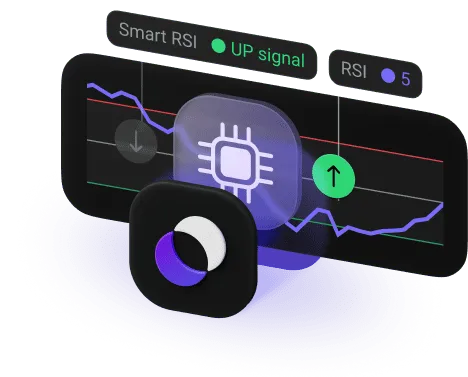
Check out our AI trading assistant

Smart RSI streamlines your trading by giving you real-time market signals

AI trading assistant

Drawing tools

You can draw additional lines and rays on the chart to predict asset behavior

drawing tools list

Get more special tools and trading strategies with Statuses

Status
button icon
Basic: Essential features
button icon
Smart: Advanced tools
button icon
Pro: Higher profitability and exclusive tools
button icon
Elite: Top trading conditions and priority services
Trading signals
Yes
Minor scalping
Yes
Minor scalping, minor intraday
Yes
Minor scalping, minor intraday, minor swing
Yes
Minor scalping, minor intraday, minor swing
Strategies
8
3
15
8
23
15
23
15
Indicators
No
1
5
5
Active Active
Active
Active

Learn trading basics

Chart types and time frames

Chart types and time frames

Trends and corrections, support and resistance

Trends and corrections, support and resistance

Technical indicators

Technical indicators

Trading strategies

Trading strategies

FAQ

FAQ

If you couldn't find an answer to your question, our 24/7 support team will be happy to help you.

  • For beginners, the best approach is to start with simple yet effective built-in features. We recommend trying these foundational tools:

    • Simple Moving Average (SMA). This is a trend-following indicator that helps you determine the direction of the market. It smooths out price data to show you whether the trend is generally up or down.
    • Relative Strength Index (RSI). This is a momentum oscillator, excellent for identifying potential reversal points. It tells you when an asset might be overbought or oversold, which can help you to spot entry and exit points.

    Try to keep it simple: Master one or two indicators first, avoid cluttering your charts, and always look at the bigger picture by combining these tools with your own observations of price movement.

  • Both methods aim to forecast where the price is going, but they look at completely different information.

    Technical analysis is the study of the price chart itself. It uses analysis tools, trading indicators, and chart patterns to understand current market behavior and sentiment. It's typically used for short-term and mid-term trading. On Olymptrade, you can perform technical analysis using tools like RSI and Moving Averages.

    Fundamental analysis looks at real-world factors impacting an asset's value. This can include economic data, company earnings reports, geopolitical events and so on. This is more commonly used for long-term investing.

  • The Smart RSI AI assistant is a smart feature designed to simplify trading, especially for novices. It's a powerful tool that automates technical analysis to give you clear and actionable signals.

    Here's how it works:

    • The strategy uses the popular RSI oscillator to constantly scan the market. It analyzes price dynamics to identify moments when a trend is likely to change direction.
    • Based on its analysis, the Smart RSI automatically pinpoints precise entry points specifically for short-term trades.
    • Once a signal is identified, the tool presents it to you clearly. You don't need to perform any extra technical analysis yourself. Simply follow the signal and decide whether to enter the trade.
  • Yes, you can. The Olymptrade mobile app is designed to bring the full power of the desktop platform to your fingertips. You have access to a comprehensive suite of tools for both iOS or Android devices.

    The app features an intuitive interface that puts top indicators, and analytical and charting tools for technical analysis right where you need them. You can access over 30 different trading indicators, including key tools like Moving Averages, RSI, and Bollinger Bands. This allows you to perform in-depth price action analysis, spot support and resistance levels, and use Fibonacci drawing tools right on your phone, ensuring you always have the best available data to inform you before entering a trade.

  • Once you see them in action, you'll quickly spot the difference. Indicators, like Moving Averages, usually appear directly on the price chart and help you see the general direction the market is heading. Oscillators, however, typically sit in a separate window below the chart. They move back and forth between set levels, like 0 and 100, to show you if an asset is overbought or oversold. This makes them incredibly useful for finding a potential reversal when the market is moving sideways.

  • It depends on what you consider automated to be. Most trading strategies on the platform give you a set of rules on when to open a trade, but you still have to interpret these guides and press the button yourself.

    However, if you want something that does the heavy lifting, you can enable an AI trading assistant or trading signals. These tools analyze the charts for you in real time and send you real-time market signals. All you have to do is decide whether to go for it or not.

  • The Sentiment tool (often called "Traders\' Choice") is a bit unique. Unlike technical analysis tools that rely on math and formulas, this one is all about crowd sentiment. It shows you the ratio of Buy vs. Sell trades currently open for a specific asset.

    Using it is pretty straightforward, and you don't need to tweak any settings. Just look at the indicator line on your screen: the red part shows the percentage of people opening Down trades, and the green shows those opening Up trades. It's a great way to get a quick pulse check on the market, but keep in mind it's only showing what other traders are doing, not necessarily what the price will actually do next.

  • Yes, you can. One of the best things about tools of technical analysis is that they are universal. Math is math, whether you're looking at Bitcoin or EUR/USD. You can apply the same RSI strategies or moving averages to any market on the platform.

    Most indicators are perfect for Forex because they help you spot long-term trends and corrections. For crypto, these tools are just as helpful for catching those fast, volatile price swings. Just a quick piece of advice: for highly volatile markets, like crypto, it's usually safer to use two or three different indicators together to confirm a signal before you put your money into the market.

If you couldn't find an answer to your question, our 24/7 support team will be happy to help you.

If you couldn't find an answer to your question, our 24/7 support team will be happy to help you.

Tracking Pixel

By continuing to browse, you agree
to our Cookies Policy.